Lifetrack has an option where users can edit a patient information such us patient name, patient ID, accession number, etc. and apply it to the DICOM Header information. To do that, please follow the steps below:
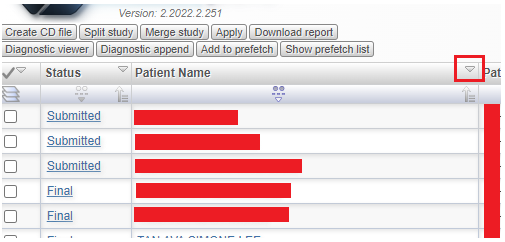
Step 1: Look for the specific column you need to edit then click the dropdown arrow.
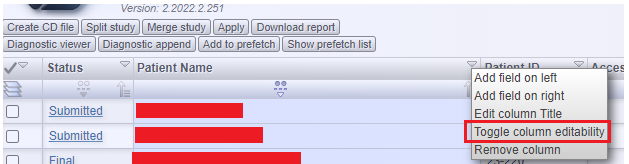
Step 2: Select the "Toggle Column Editability" option to make the field editable
Step 3: Edit the field that needs to be corrected/edited and then press the enter key on your keyboard.
- The row will blink after doing this which means a patient information has been edited.
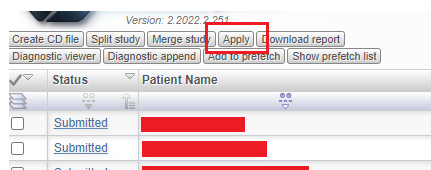
Step 4: Once the row is blinking, click the apply button at the top of your worklist to save the changes.
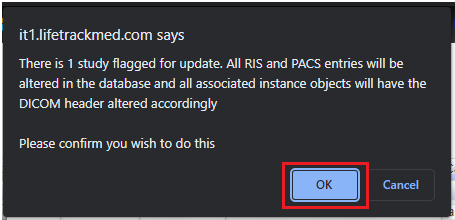
Step 5: A pop up message will appear once the "Apply" button is clicked. Select "OK" to proceed.