
When downloading a CD file from the server, sometimes Windows Defender incorrectly tag the downloaded file as a potential harmful software because there's an embedded MicroDicom viewer inside the ISO file that's being downloaded. The CD file is completely safe and users should not worry about any viruses coming from the downloaded DICOM files.
Steps on how to fix:
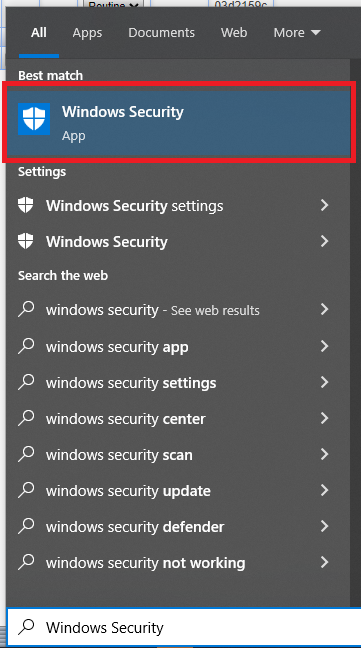
Step 1: On your start folder, search for the Windows Security settings
- Press the window button on your keyboard or click the windows button at the bottom left corner of your screen.
- Type in "Windows Security" on the search field
Step 2: Select the Virus & thread protection option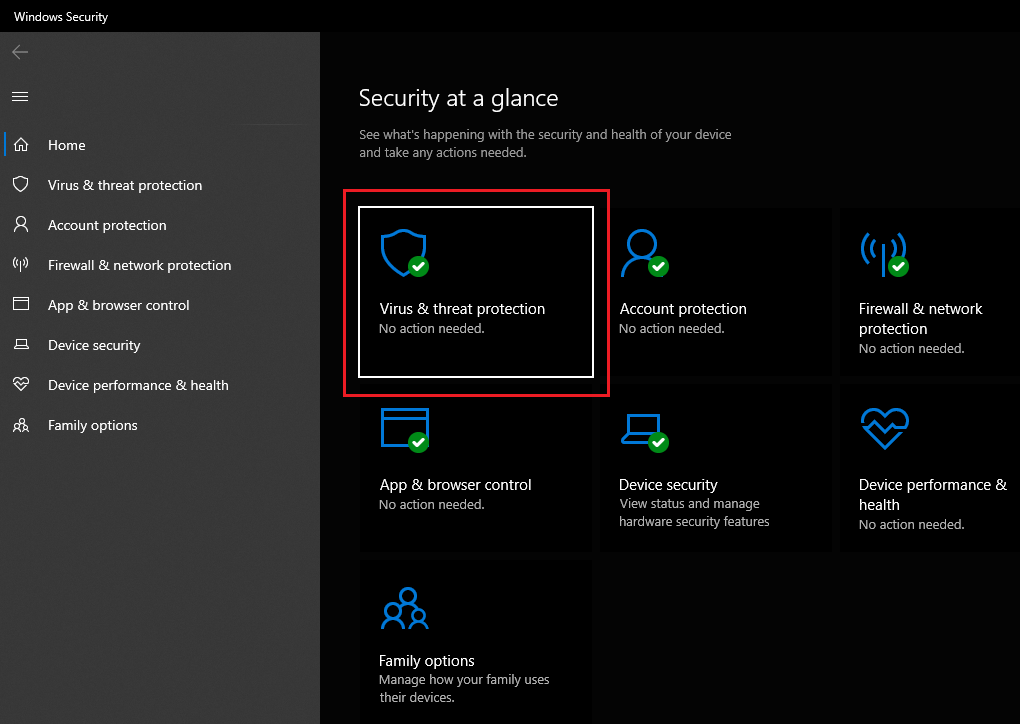
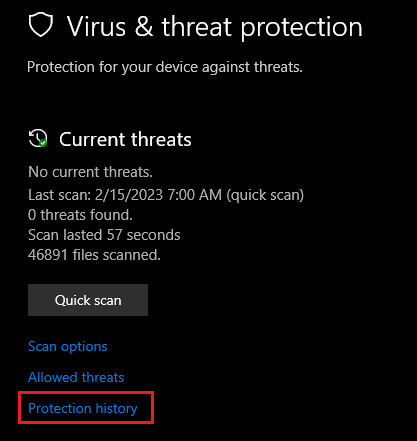
Step 3: Inside the Virus & thread protection window, click the protection history option
Step 4: Look for the latest blocked threat and then click the dropdown arrow beside it
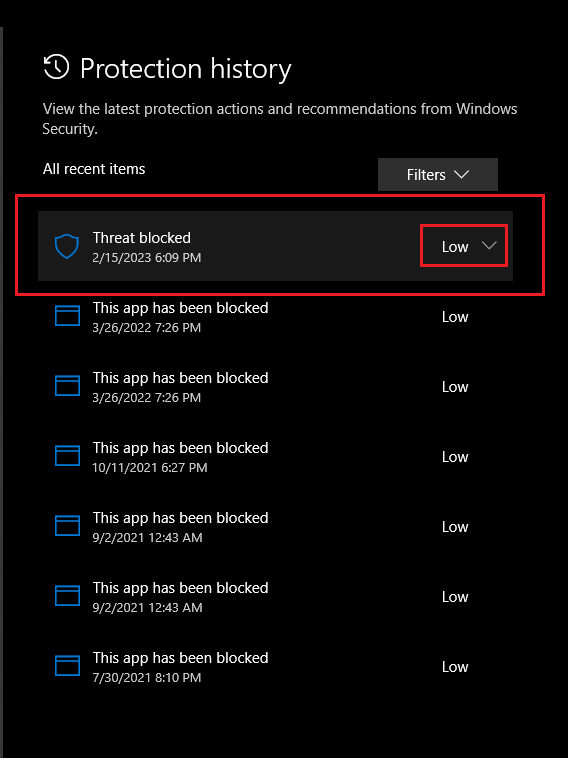
Step 5: On the Actions options, select "Allow"
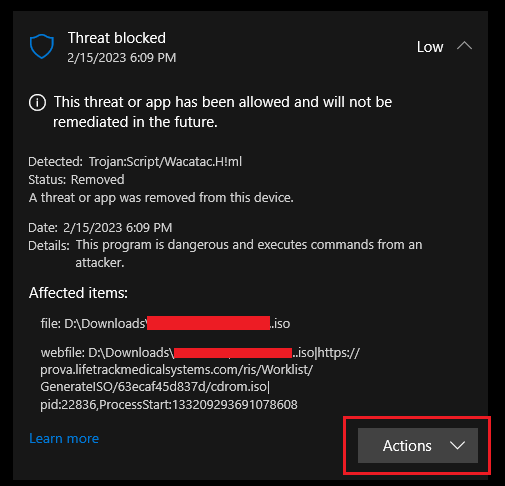

Step 6: Once it is allowed, you can then retry downloading the CD file again and the download should come through without any errors.
Note: These files are virus free so rest assured that allowing this will not harm your workstation