
If a study is finalized on Lifetrack and the report hasn't gone through to your hospital's information system, we have a tool that will enable you to send the report manually in just one click of a button. Just follow the steps below on how to do this.
Steps:
Step 1: Open the report study page
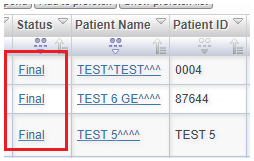
To open the report study page, click the status of the study that you want to manually send.
Step 2: Look for the Send HL7 ORU field
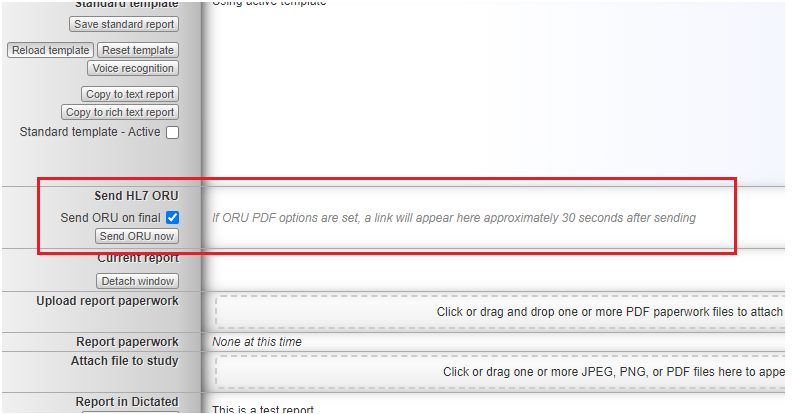
After opening the report study page, find the Send HL7 ORU field. If you are unable to find this field, you can contact your PACS Administrator to add it to your account.
Step 3: Click the Send ORU now button
Step 4: Check your HIS for the report
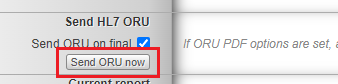
After clicking the Send ORU now button, check your HIS after a few minutes to see if the report got sent. If not, please contact your PACS Administrator to see if they can send it themselves
Please note that if you send a report over when a study is not finalized yet, it will either not work or the report will be blank.