TABLE OF CONTENTS
- Disk Space - Does this software require 150 GB of free space? What is the bare minimum required if it can be used on machines with less space?
- Disk Drive for Install – Will Radgate only work if installed to the C: drive?
- Other Disks/Partitions – There is a line saying that no other virtual drives are allowed, my interpretation of that is that no other drive letters can be used on the computer at all, am I misunderstanding that? Is this referring to virtual (emulated) disk drives rather than mapped network shares/physical disks installed?
- Local user account login – Are domain user accounts sufficient or does it need to be local to that computer?
- Can I ask what the installation process looks like for Radgate? Are there any pre-requisite programs to install or Windows Features like .NET 3.5?
- Is there any way that we can run a service where if the VM it resides on is restarted, the gateway is automatically restarted?
- How do you set up multiple AE Titles to one gateway? i.e., multiple sites send through the same PACS so only need one destination, but we want to associate that gateway with more than one AE Title to delineate cases between sites on the worklist.
Disk Space - Does this software require 150 GB of free space? What is the bare minimum required if it can be used on machines with less space?
While the application does not "require" 150GB of free space, we usually attempt to request enough space for the service as well as transmissions and storage of any Dicom data in-between transmissions. The software is not top-heavy however it can process large amounts of Dicom data while performing. Also, machines that are not solely dedicated to just this application and its usage can possibly fill up disk space quickly, which in turn can affect its performance. That being said, we recommend at least 56GB of free space. However, the higher the volume the more disc space is recommended.
Disk Drive for Install – Will Radgate only work if installed to the C: drive?
Yes, the RadGate will only work "correctly" if it is installed on the C: Drive.
Other Disks/Partitions – There is a line saying that no other virtual drives are allowed, my interpretation of that is that no other drive letters can be used on the computer at all, am I misunderstanding that? Is this referring to virtual (emulated) disk drives rather than mapped network shares/physical disks installed?
There can be other dive letters associated with the PC in question. However, the Radgate should be installed on the C: drive and not on any other virtual drives associated with the server, unless it's a dedicated VM with no auto-load balancing and the C: drive is being used on it.
Local user account login – Are domain user accounts sufficient or does it need to be local to that computer?
The Radgate should be installed on a "LOCAL" account with admin rights. This will require the Radgate to be installed on the admin account where the image transmissions globally take place. The Radgate does have a settings feature during installation that allows the installer to set whether it's being installed for an isolated user or for everyone on the PC.
Can I ask what the installation process looks like for Radgate? Are there any pre-requisite programs to install or Windows Features like .NET 3.5?
For the installation process, 'Any desk' or 'TeamViewer' will need to be installed prior to allowing us to remote in. Then once the installation is finished, we will ask you to send a study for testing purposes. Or you can use "Zoom" and accept a remote-control service request during a share screen session.
Is there any way that we can run a service where if the VM it resides on is restarted, the gateway is automatically restarted?
So typically sites will have the application opened by staff once they log in but a 'task schedule rule' can also be put in to start the CDMC at startup. It can be set up as a scheduled task on the PC/Server so that in the event that the PC/Server is restarted or shuts down due to an unforeseen occurrence, the application will be restarted upon the PC/Server coming back up.
This can be done by locating the "Task Scheduler" on the PC/Server in question and creating a "Basic Task" by following the prompts given.
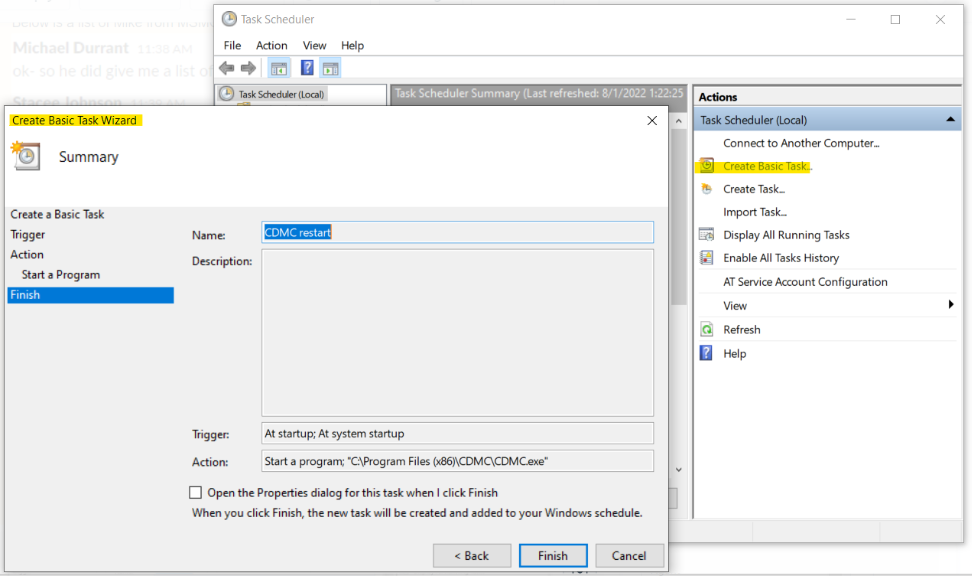
or
You can add the "CDMC" application pathway to the startup folder. My team has already verified that works with no issues in most cases.
You can run the shell:startup
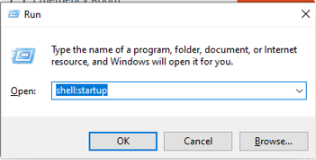
And you can simply drop that CDMC shortcut into the startup folder itself.
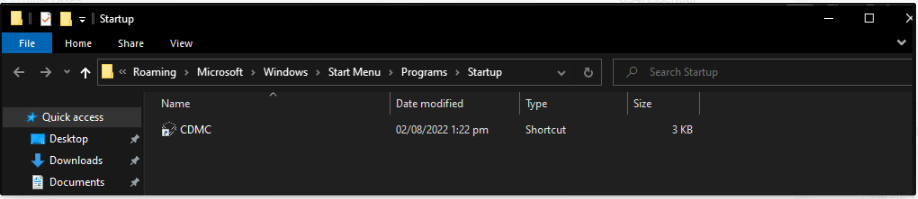
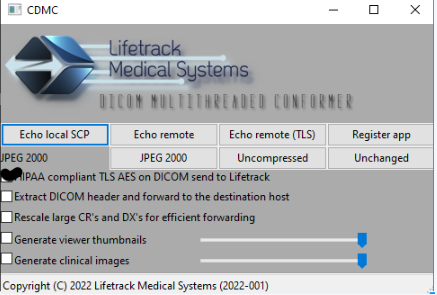
Which will still start the application as intended:
How do you set up multiple AE Titles to one gateway? i.e., multiple sites send through the same PACS so only need one destination, but we want to associate that gateway with more than one AE Title to delineate cases between sites on the worklist.
This task can be completed by :
1) Once a CDMC is set up in a destination and can send successfully, each site can set up its modality with its personal AE Title, the IP address of the destination with the CDMC, and the proper port number.
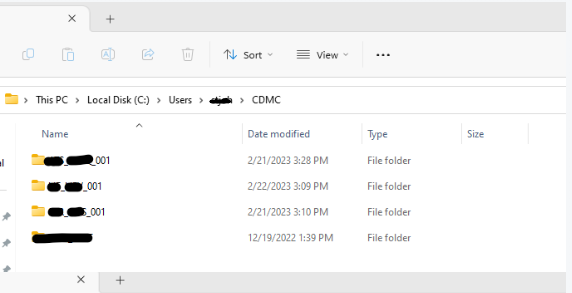
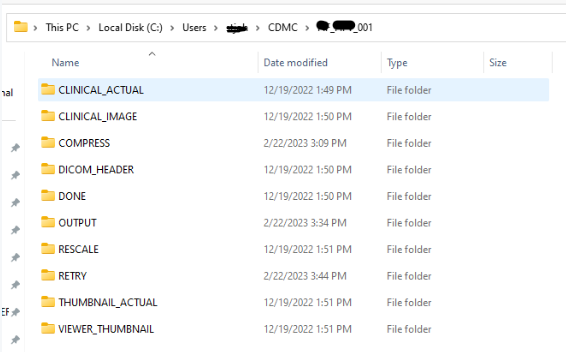
2) The file holding the AE Title will have a folder specifically for each site holding the necessary files for processing.