You drag the resize button located on the right lower part of the box downward to enlarge the box. Please see the image below.
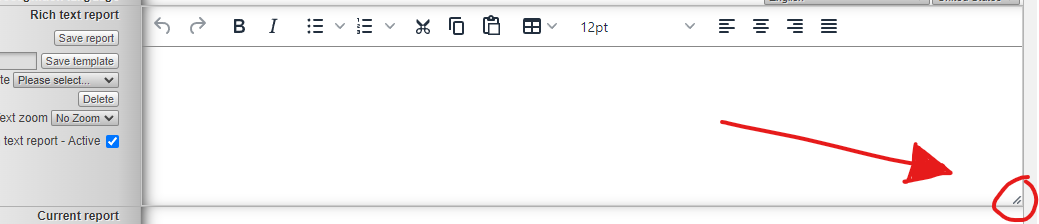
Problem: Everytime I open a case, the rich text box returns to the default size and I have to manually expand it eveytime.
You can use the Chrome extension: Stylus
and import the attached JSON file attached. This should help you save the size of the Rich text box.
Instructions
1. Open the json file using Notepad
2. Scroll down to the last section
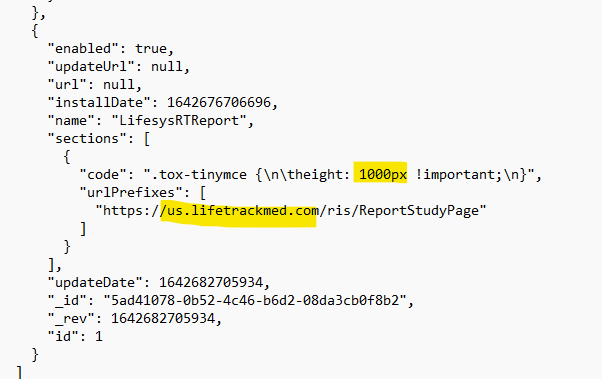
Look for those highlighted section.
You can change the height size.
Then in the URL section - replace us.lifetrackmed.com if you are using other server.
3. Then save it
4. Then Go to the browser and look for the Stylus icon
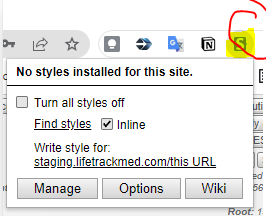
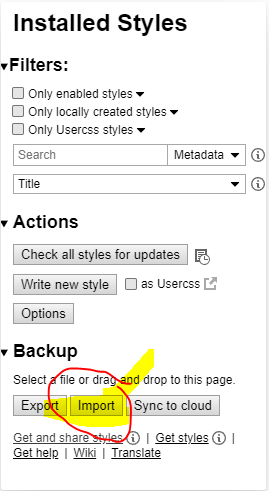
5. Select manage, then Import the json file