
LifeSys allows you to create unlimited accounts and can support different workflows.
By default, the administrator's account has the User Management capability, but this feature may be given to other users depending on the facility policy.
Steps:
Step 1. Go to User Management.
This will open the User Management page. This page displays all the accounts that you are managing.

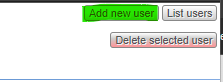
Step 2. Click Add new user.
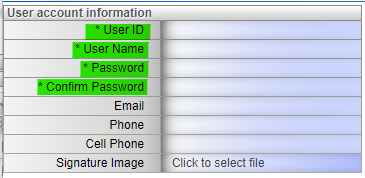
Step 3. Fill in the credentials needed.
Note:
- A space is considered a character
- User ID will be used in logging in.
- The password is case-sensitive.
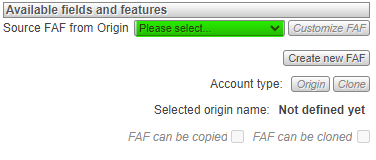
Step 4. Select Source Origin for the account.
In the dropdown menu, you can choose if the new user is a radiologist account or a technologist account.
Step 5. Click Save Changes.
If you're still having problems, send a ticket to:
https://support.lifetrackmed.com/support/tickets/new
Include in the ticket the:
- URL you use to view the worklist: ie: xx.lifetrackmed.com
- User ID
- Facility Name (Institution or Site)