
LifeSys allows you to customize your worklist by surfacing additional columns on your layout.
To add a field/column:
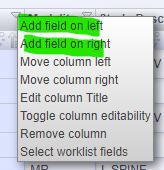
1. Click the arrow button in any column on your worklist. 
2. Click Add fields on right or left.
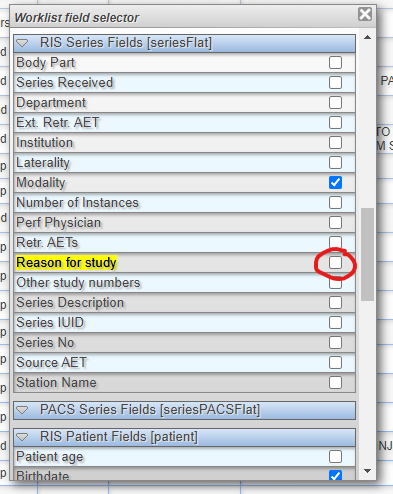
3. Search for the feature you need to be added to your worklist and click the check button of the feature you need to be added.
Note: You may also use CTRL+F (Command F for Mac users) to bring up the search box.
4. Lastly, click "Save".

If you're still having problems, send a ticket to:
https://support.lifetrackmed.com/support/tickets/new