If you get snap errors on Google Chrome frequently, it can mean that you may not have enough RAM on your system and Chrome will limit your RAM even more.
One way to stop Chrome from limiting the RAM is to use the method below:
- Right mouse click on the Chrome icon on your Task bar to display the dialogue box
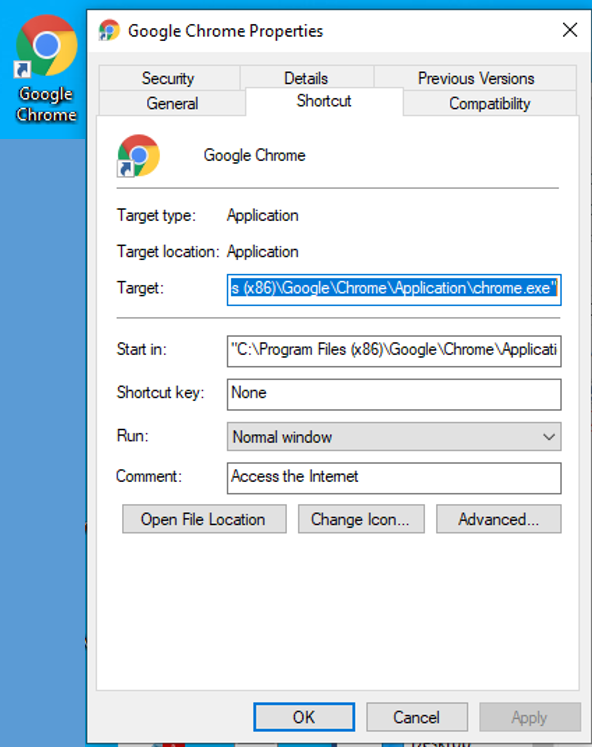
- Then replace the current "Target" - usually: "C:\Program Files (x86)\Google\Application\chrome.exe"
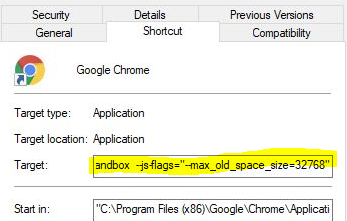
with the following: "C:\Program Files (x86)\Google\Chrome\Application\chrome.exe" --no-sandbox --js.flags="__max_old_space_size=32768"
- In other words, add:
- --no-sandbox --js-flags="--max_old_space_size=32768"
- just make SURE there is a space between the last " and the:--no-sandbox --js-flags="--max_old_space_size=32768"
For workstations with limited RAM, LifeSys has a function which allows automatic clearing of cache.
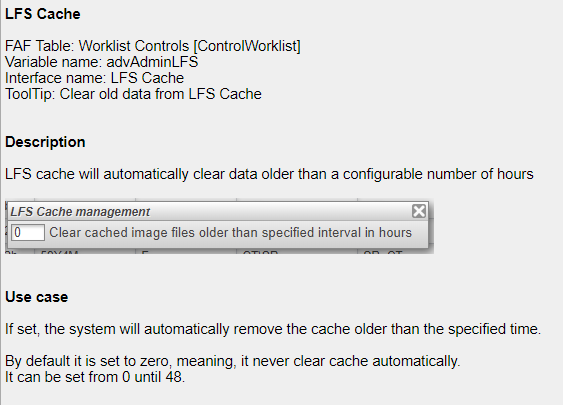
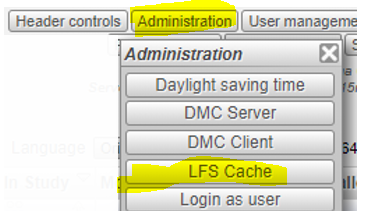
The LFS cache button can be seen in the Administration menu.