
Overview
The Addendum Retraction feature allows authorized users to:
Retract an addendum so it is no longer included in reporting workflows.
Hide/show retracted addenda from the study report view and reporting outputs.
These actions are controlled through user permissions/scopes.
Instructions to use article templates
Create a step-by-step guide
- Step 1: Open a study that has an addendum to be retracted and locate the “List addendum” section
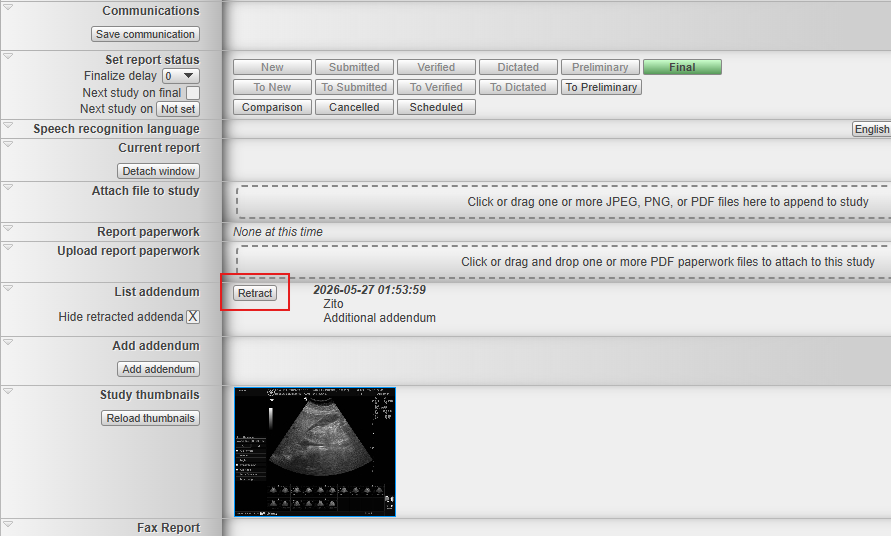
- Step 2: Click the "Retract" button on the left side of the corresponding addendum
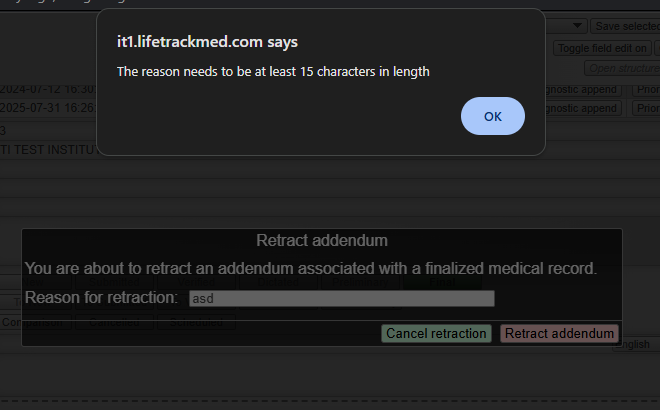
- Step 3: Type in the reason for retraction
- Step 4: Untick the box to view hidden addenda
- Step 5: Open report audit to check retraction details
Step 1: Open a study that has an addendum to be retracted and locate the “List addendum” section
Click the status of the study to open the report page. Locate the "List addendum section on the page to view all addenda. If the field is missing from the page, please contact your PACS administrator or Lifetrack support team to add it to your account.
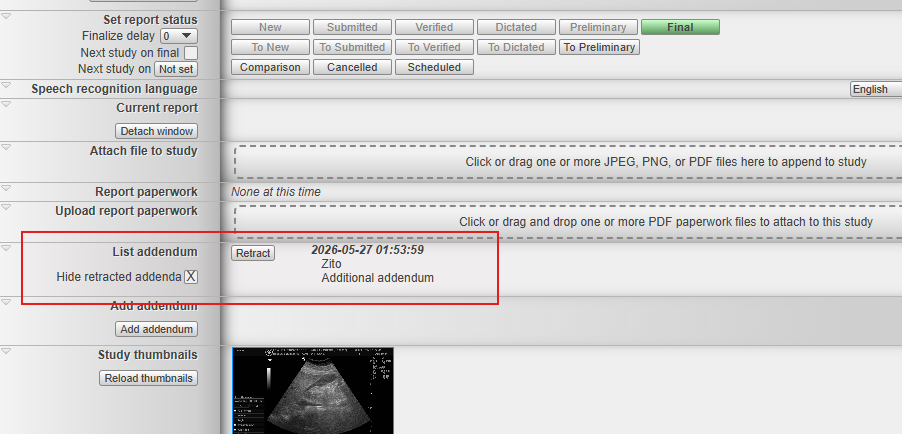
Step 2: Click the "Retract" button on the left side of the corresponding addendum.
Each addendum will have their corresponding "Retract" button. Click the button to retract the any addendum
Step 3: Type in the reason for retraction
Every retraction requires a reason. Users are required to type in the reason for retraction with a minimum of 15 characters. Anything less than this will prompt the user to input at least 15 characters in length.
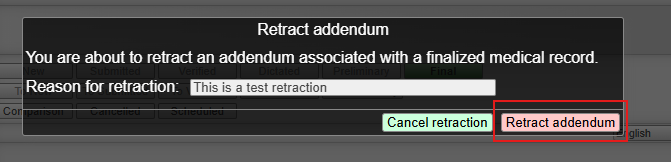
After adding the correct reason, click the Retract addendum button. The retracted addendum should disappear automatically if the "Hide retracted addenda" checkbox is checked.
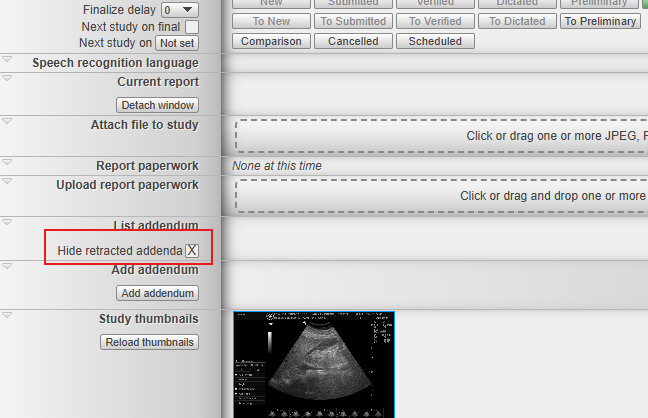
Step 4: Untick the box to view hidden addenda
The "Hide retracted addenda" checkbox has to be unchecked to view retracted addenda. This box is checked by default.
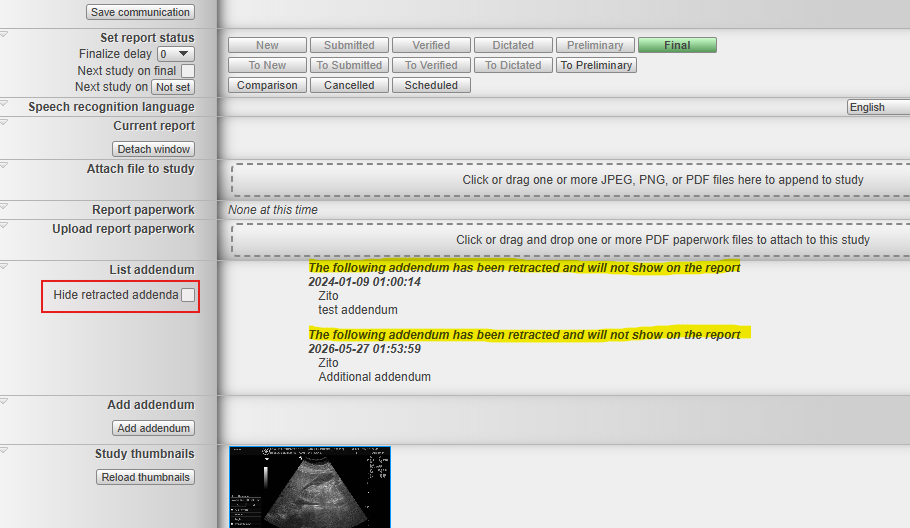
Step 5: Open the report audit to check retraction details
The retraction details can only be seen when checking the report audit. This is where the timestamp, userID, and reason for retraction can be seen. Once downloaded, open the file in notepad and the retraction details is at the very bottom of the logs.
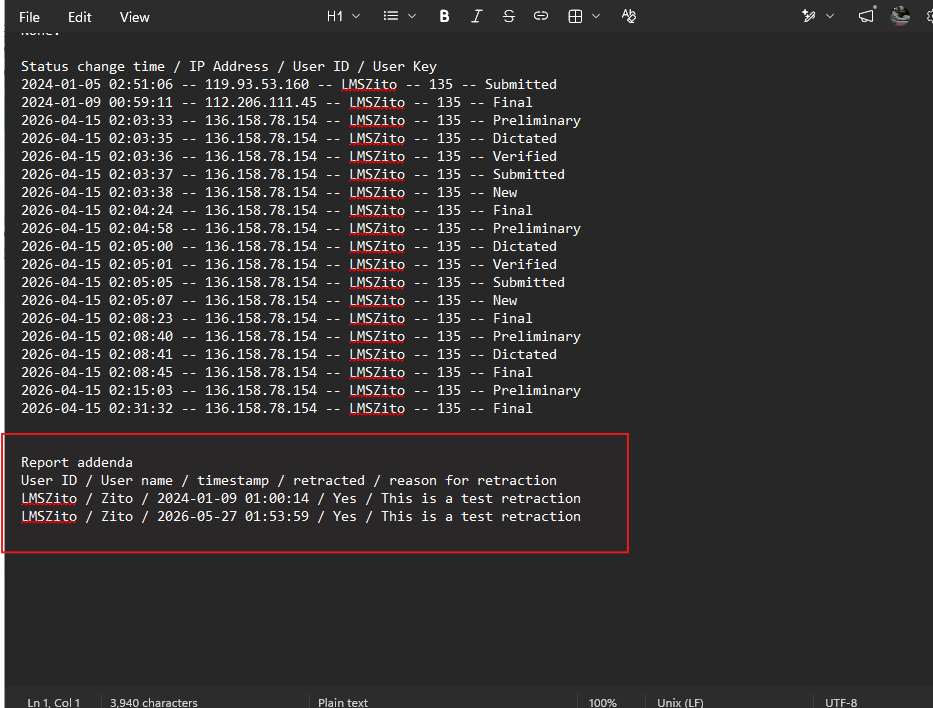
Important Notes
1. Only the user who created the addendum can retract them.
2. Addendum retractions are not synced between servers. If the study is synced to another Lifetrack server, the user must log in to the other server using the same user ID and manually retract the addendum there as well.
3. Retracted addenda remain stored in the database and are never completely removed from the system.
<Video link to be added>