
Create a PDF template - Here's a video guide on how to do this:
Instruction
PDF template editor button allows administrators to create and customize the pdf template to fit their institution or site's need.
It utilized a WYSIWYG (what you see is what you get) program which will permit the creator of the template to see the result while it is being created.
Creating a template:
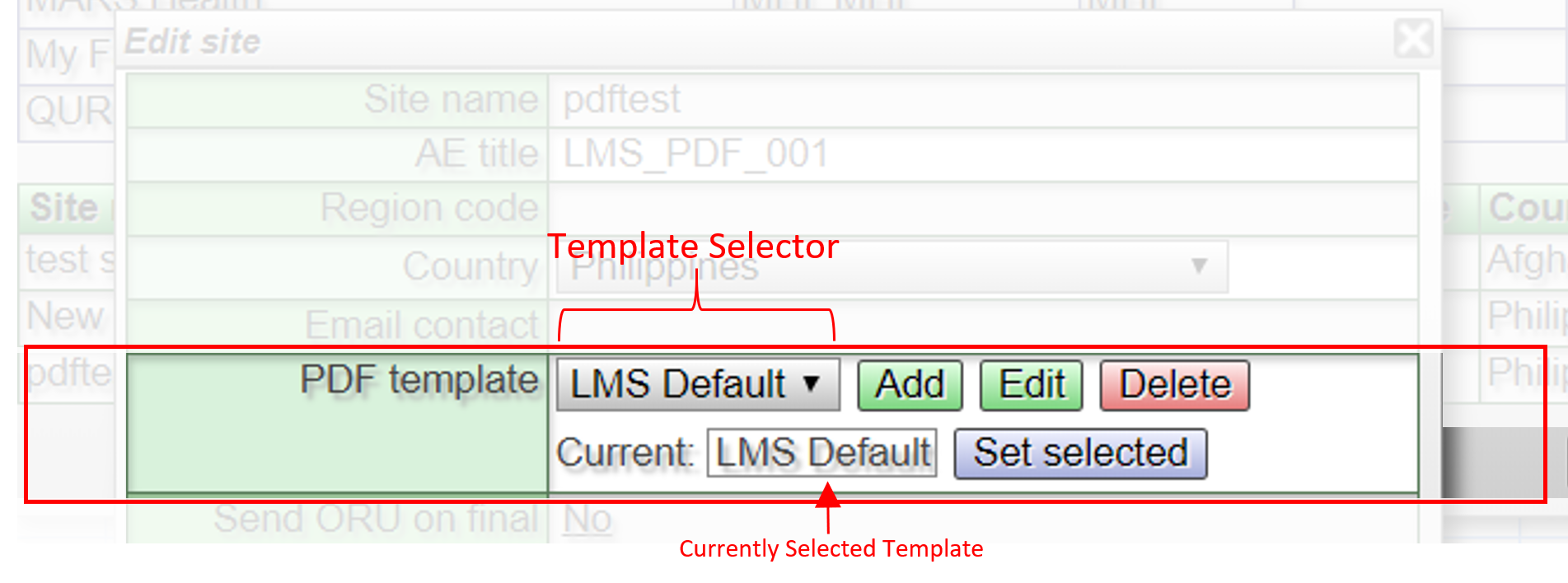
To be able to create a template, you should have the Administration and Site Management button. If this is not available on your worklist scope, you may contact Lifetrack TechSupport team.
Only when you have those buttons can you acces the PDF template editor.
It utilized a WYSIWYG (what you see is what you get) program which will permit the creator of the template to see the result while it is being created.
Creating a template:
To be able to create a template, you should have the Administration and Site Management button. If this is not available on your worklist scope, you may contact Lifetrack TechSupport team.
Only when you have those buttons can you acces the PDF template editor.
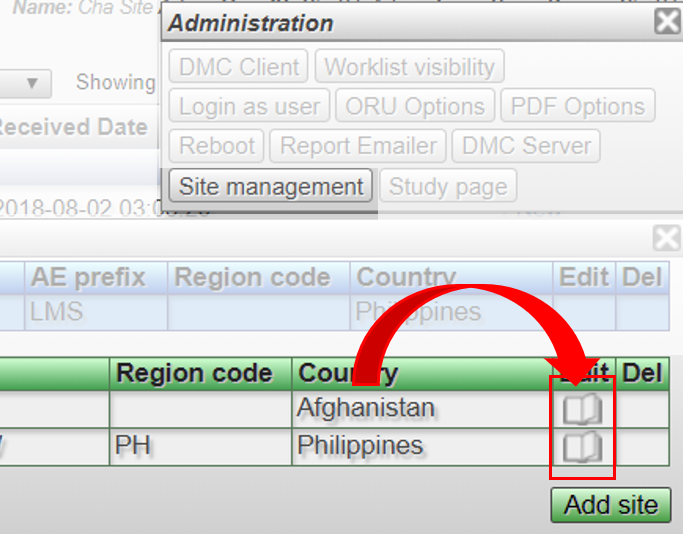
- On the site management panel, click the icon which looks like an open book.
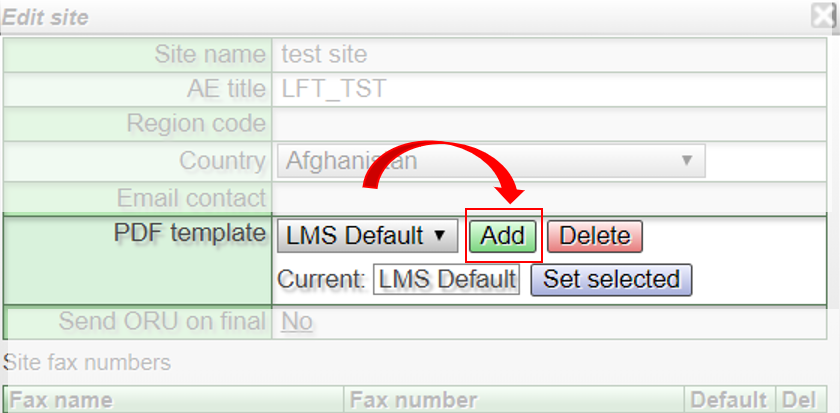
- After which, look for the PDF template field and click ADD button to open the canvas
Add Logo:
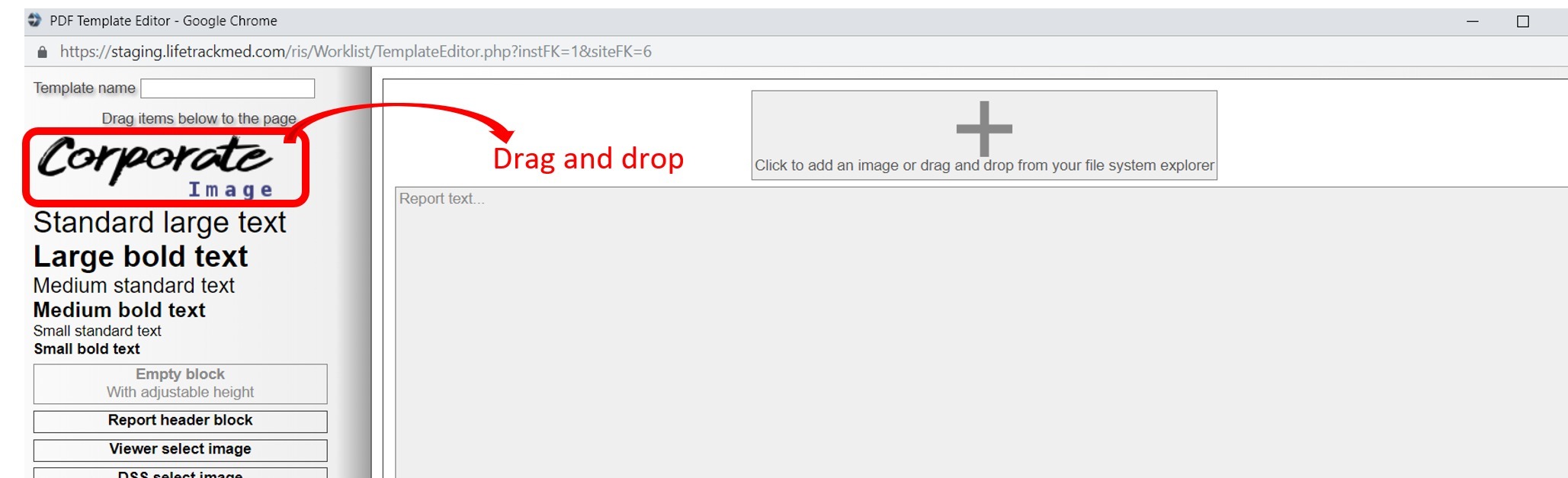
- You may add up to 2 images in the header
- Maximum image size for a single logo template is 1046 pixels x 150pixels (width x height)
- For 2 logos template, maximum image size per logo is 420 pixels x 150 pixels (width x height)
Report Header:
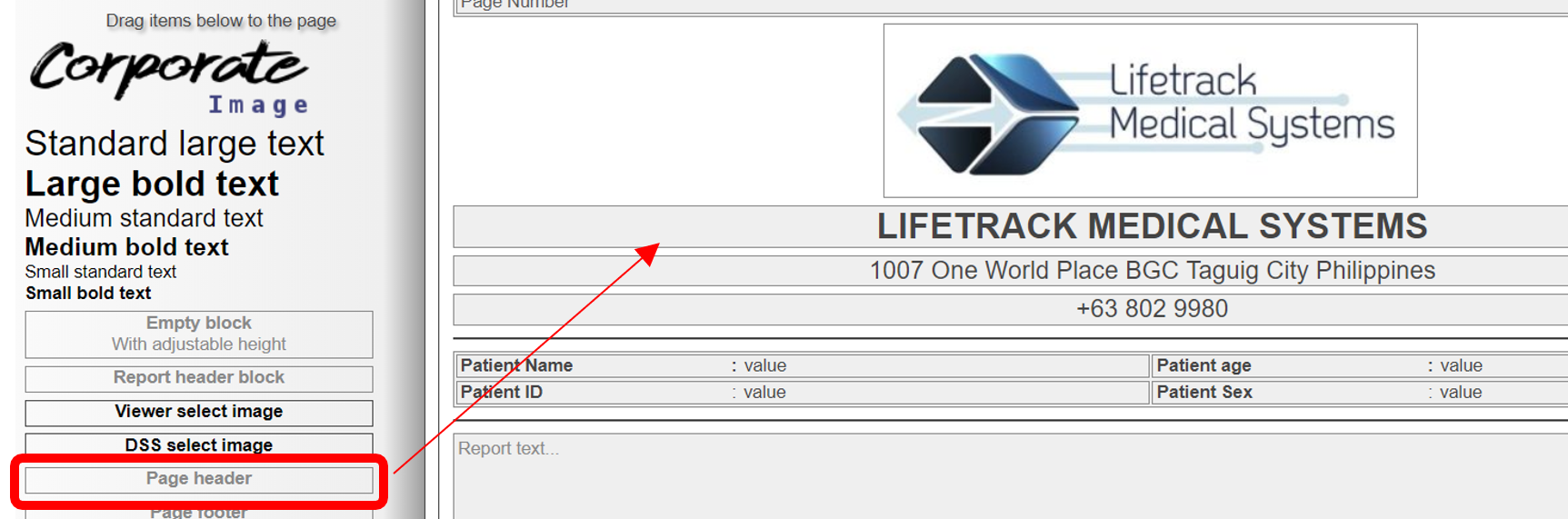
- Use Page header to type in the facility's name, address and contact information
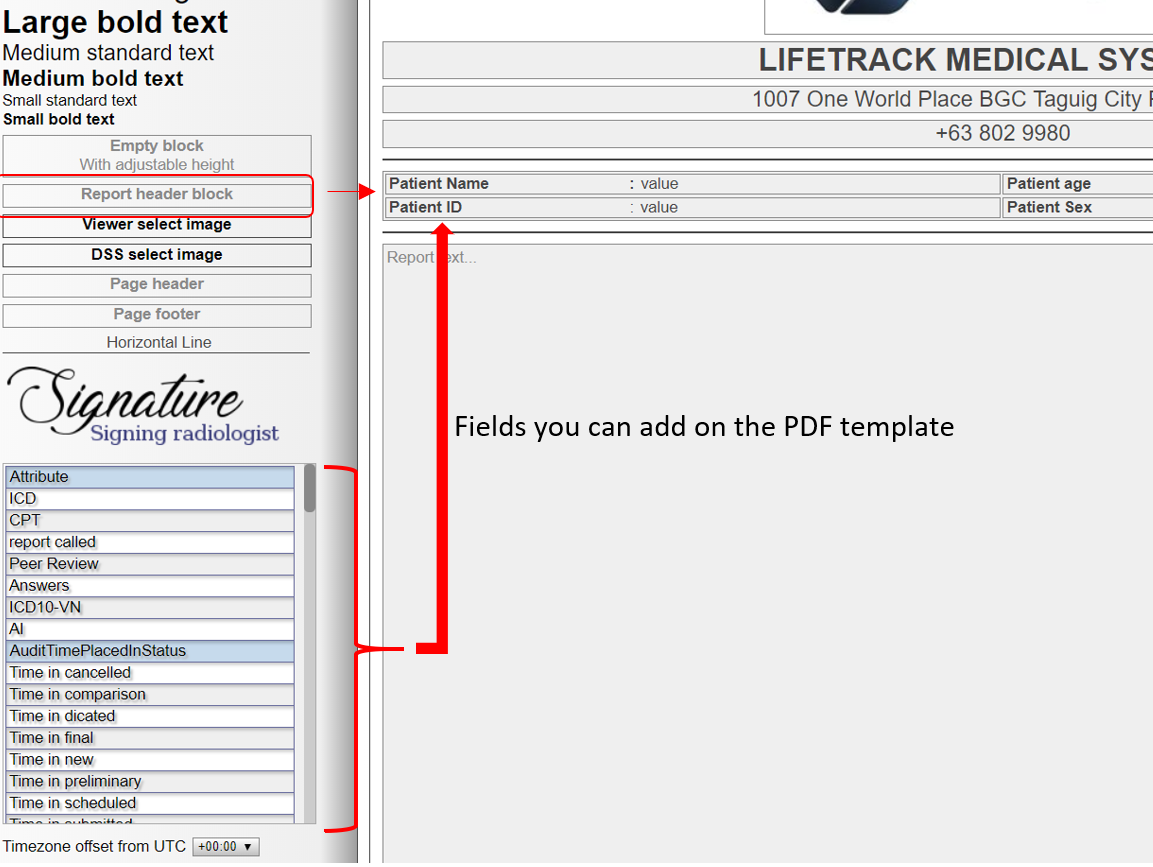
Report Header Block:
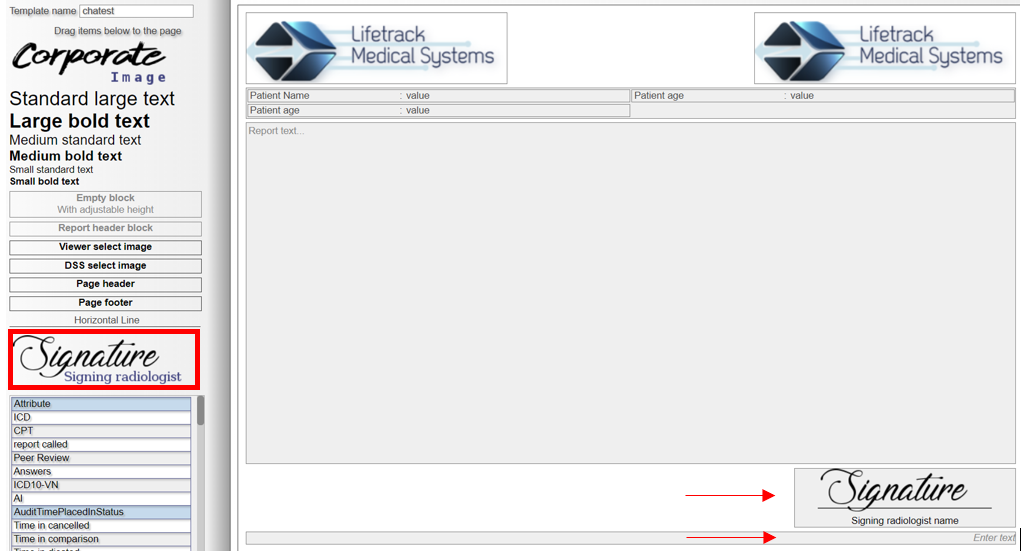
 Signature
 Footer
- You may choose from the field selection which information you want to surface on the PDF
Signature- The signature field can have a single field added below the horizontal line. By default, it is the Signing radiologist's name
FooterAdding Sites Video Guide:
Creating Site User Log-ins:
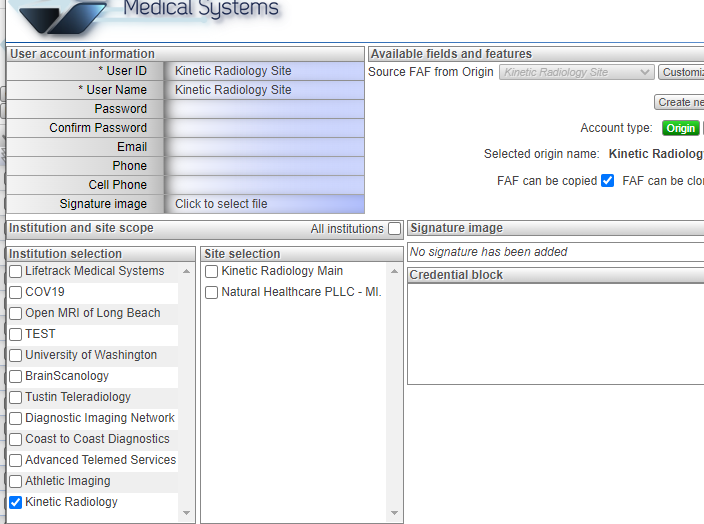
Once done, you simply need to select the site name under Site Selection so clients can only see their cases.
If you need guidance in creating User accounts, let us know as we will be happy to train you on how to do it.